Loading...
Notarized by Apple
100% local — nothing leaves your Mac
Full scan in under 30 seconds
No subscription required
Not Just a Cleaner
Everything your Mac actually needs.
CleanSlateX started with cleanup — and didn't stop there. Protection, performance, app management, task monitoring, secure shredding, and more, all in one native app. We keep adding tools as users tell us what's missing.
 NEW
NEWSmart Care Dashboard
One-click scan across 6 modules. Get a health score and fix everything at once.

Deep System Cleanup
Remove caches, logs, temp files, broken preferences, and language files. 15 scan categories.

Malware & Privacy Shield
Scan for malware, clean browser tracking data, and remove privacy-sensitive files.

Performance Optimizer
Free up RAM, run maintenance tasks, manage background services and login items.

Complete App Uninstaller
Remove apps and all their hidden files across 12 Library locations. Zero leftovers.

Duplicate File Finder
SHA-256 verified duplicate detection with 3 confidence levels. Find exact and similar files.

App Cache Cleaner
Deep clean caches for 180+ apps: browsers, dev tools, creative apps, messengers, and more.

Secure File Shredder
Military-grade file destruction with 1, 3, or 7-pass overwriting. Unrecoverable deletion.
One of Our Engineers' MacBooks
Two weeks of scheduled scans. Zero manual cleaning.
Backend engineer · MacBook Pro 16" M2 · 1 TB
We let CleanSlateX run on schedule for two weeks and measured the difference.
+39 GB free
8 GB → 47 GB
−43 services
132 → 89
−24s boot
38s → 14s
Your results will vary — depends on what your Mac's been hoarding.
How It Works
Three clicks. Done.
Scan, review, clean. Each step is one click — and nothing changes until you say so.
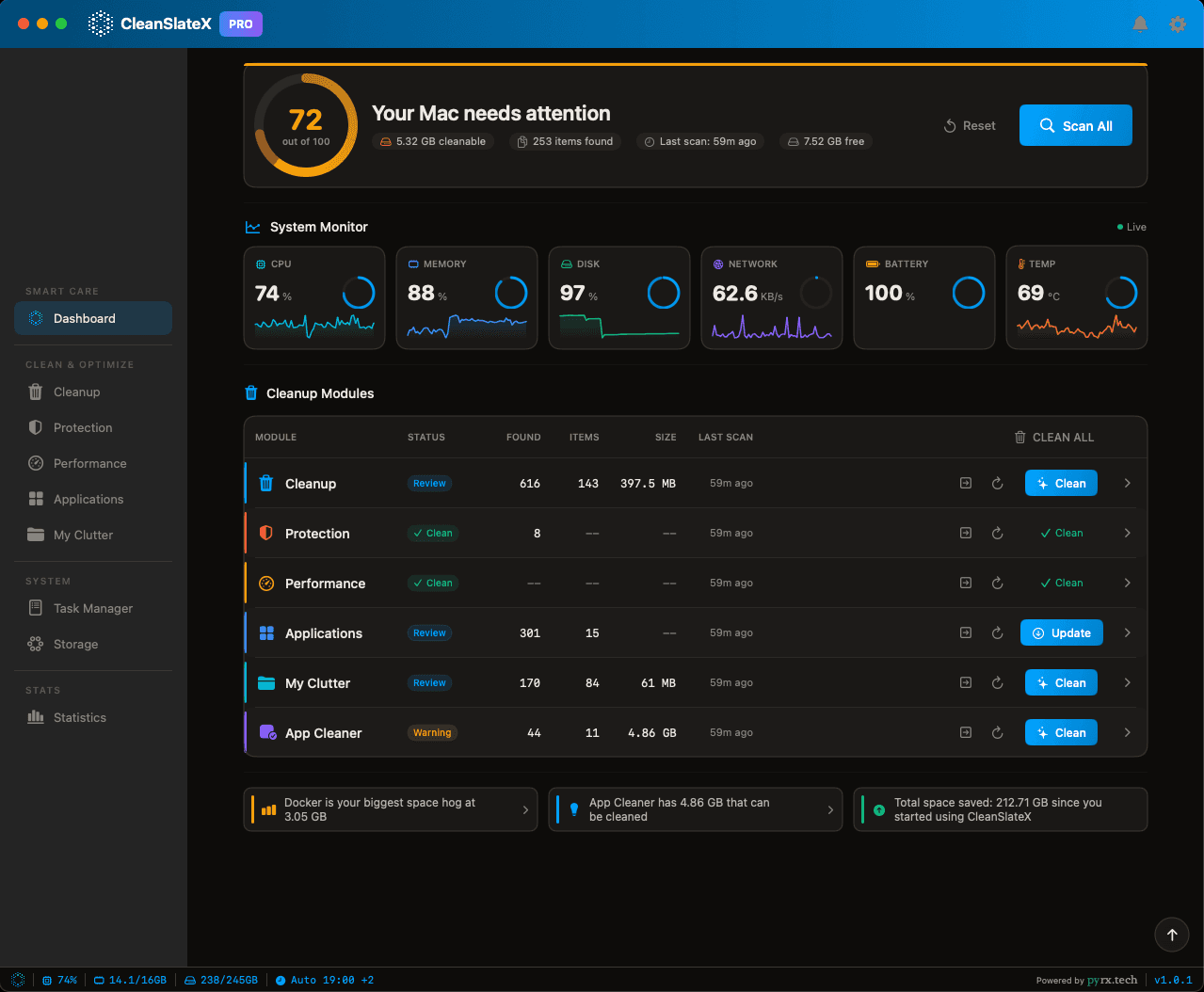
One click. 30 seconds.
See what's there. Module by module.
Clean what you choose. Reversible.
1One click. 30 seconds.
2See what's there. Module by module.
3Clean what you choose. Reversible.
No magic. No mystery. You see everything before anything changes.
Deep Clean for 183+ Apps. Standard Clean for Everything Else.
CleanSlateX knows exactly where these 183+ apps hide caches, temp files, and junk data — with tailored rules for each one. Every other app on your Mac gets cleaned too, using standard cache and temp-file patterns.
 Amazon Music
 Instagram
Plus a generic scanner for every other installed app — request an app
Why CleanSlateX
Not Another Cleanup App
Most Mac cleaners are part of the problem — bloated installs, paywalled trials, and aggressive deletions that break things. CleanSlateX was built to be the opposite.
Other cleanup apps
CleanSlateX
Size
200+ MB installers that eat the disk space they promise to reclaim
12.1 MB. Smaller than most app icons.
Trial
Credit card required before cleanup — you pay before you even know if it works
No credit card required. Actual free trial for 7 days — just download and use.
Performance
Slow, resource-heavy apps that make your Mac worse while "cleaning" it
Native Swift and SwiftUI. Runs light. Uses minimal CPU and RAM.
Safety
Aggressive deletion — removes as much as possible, hopes nothing breaks
Smart, selective cleaning. Every item is categorized, user-approved, and fully configurable in Settings.
Depth
Generic cache and temp file sweeps that barely scratch the surface
180+ app-specific deep-clean profiles — and we continue to build more every day.
Scope
A cleaner. That is all.
15 tools in one native app — and we continue to build more every day.
Development
Built behind closed doors. Ships when the roadmap says so.
Built with users. Report issues, suggest features, shape what ships next.
One app. Fifteen tools.
Everything your Mac needs to stay fast, clean, and secure — without installing fifteen separate utilities.
Smart Care one-click optimization
Deep system cleanup (15 categories)
Malware and privacy scanner
Duplicate file finder (SHA-256 verified)
Complete app uninstaller (12 Library locations)
App cache cleaner (180+ apps)
RAM optimizer
Background services manager
Login items manager
Startup optimization
Secure file shredder (DoD 5220.22-M)
Scheduled automatic cleaning
Real-time system monitor
Developer tools cleanup
Customizable themes
All for 12.1 MB on disk.
Built for Skeptics
You can read the code. We wrote it like you will.
CleanSlateX is built for people who check what a tool does before they run it. Here is exactly what this app does and does not do on your machine.
Apple-notarized and signed
Every release is signed with a Developer ID certificate, compiled with Hardened Runtime, and notarized by Apple. Gatekeeper verifies it before first launch.
No kernel extensions
Zero kexts, zero system extensions, zero low-level hooks. The entire codebase contains no SystemExtensions.framework imports.
Your files stay on your Mac
Scan results, file paths, and cleanup data are never transmitted to any server. Network calls are limited to authentication, license validation, and update checks.
Zero third-party dependencies
Package.swift declares an empty dependency array. No analytics frameworks, no tracking SDKs, no ad libraries. What you download is what we wrote.
You approve every deletion
Every file is shown individually with its full path and size. You select or deselect items one by one. Nothing is deleted until you explicitly approve.
What we will never delete
Protected system caches, kernel extension caches, and icon caches are hardcoded as excluded. Log cleanup is restricted to .log, .gz, and .asl files only.
Works without Full Disk Access
FDA unlocks deeper scanning, but the app runs fine without it. Without FDA, CleanSlateX operates in limited mode — no nagging, no failures.
Privileged helper is optional
System-level cleanup uses Apple’s SMJobBless framework. The helper validates every caller’s code signature. If you never approve it, the app still works.
What we will never delete
/System/Library/CachesSystem caches macOS depends on for stability
com.apple.kext.cachesKernel extension caches for hardware drivers
com.apple.iconservices.storeIcon cache the OS depends on
Log cleanup: .log, .gz, .asl onlyNever executables, configs, or databases
FDA-protected directoriesSafari, Mail, Messages, Photos — skipped without explicit FDA grant
Your custom exclusionsAny paths you add in Settings are respected globally
How cleaning works
Scan. Review. Approve. Nothing happens without your say-so.
Scan
Select categories across 13 developer toolchain types — Xcode, Docker, node_modules, and more. The app builds a full file list with sizes.
Review
Every file shown individually with path and size. Per-item checkboxes. "Select All Safe" limits to items the app classifies as safe.
Approve
Nothing is deleted until you confirm. No background cleanup, no scheduled deletion without awareness, no shortcut that skips review.
You can also add your own excluded paths in Settings.
Our Story
Built by Engineers, for Engineers
CleanSlateX started as an internal tool. Now it's yours.
Every morning, the same problem across our dev team's MacBooks: CPU pegged, RAM saturated, disks buried under Xcode derived data, Docker images, and node_modules graveyards. Engineers were losing 20–30 minutes a day either fighting their machines or stopping shipped work to clean them by hand.
So we built the tool we needed. Pick your cadence — daily, weekly, or monthly, with multiple time slots per cycle — and CleanSlateX quietly keeps your Mac in shape while you sleep, ship, or stand up. No manual scans. No “I'll clean it later.” And because engineers are (rightly) paranoid about losing data, every clean rule is yours to control: whitelist paths, exclude projects, choose exactly what's safe to auto-clean. Your data stays safe — your machine stays fast.
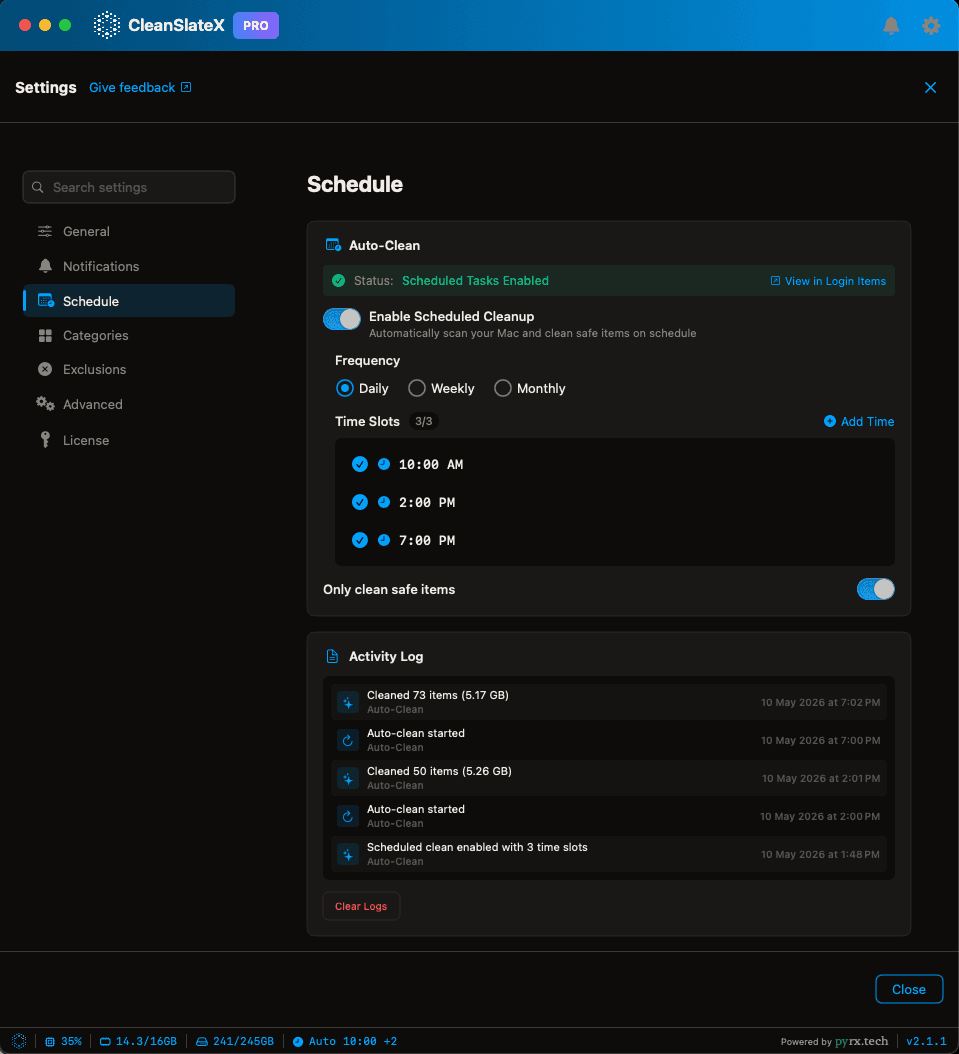
0 manual actions
Set the schedule once, forget it
Runs 24/7
LaunchAgent keeps working even when the app is closed
You decide
Granular clean rules keep your data safe
Make It Yours
Your Mac. Your colors.
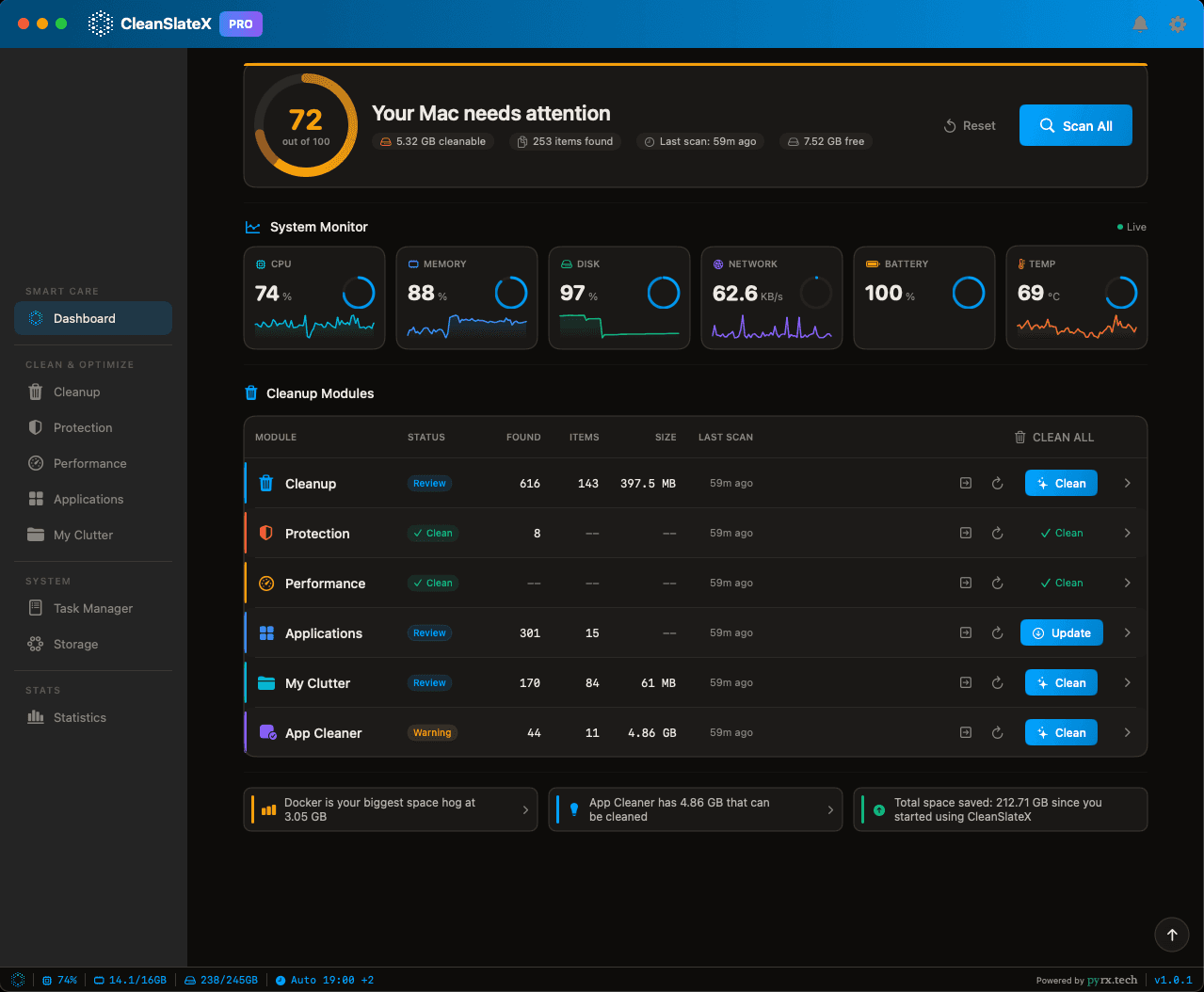
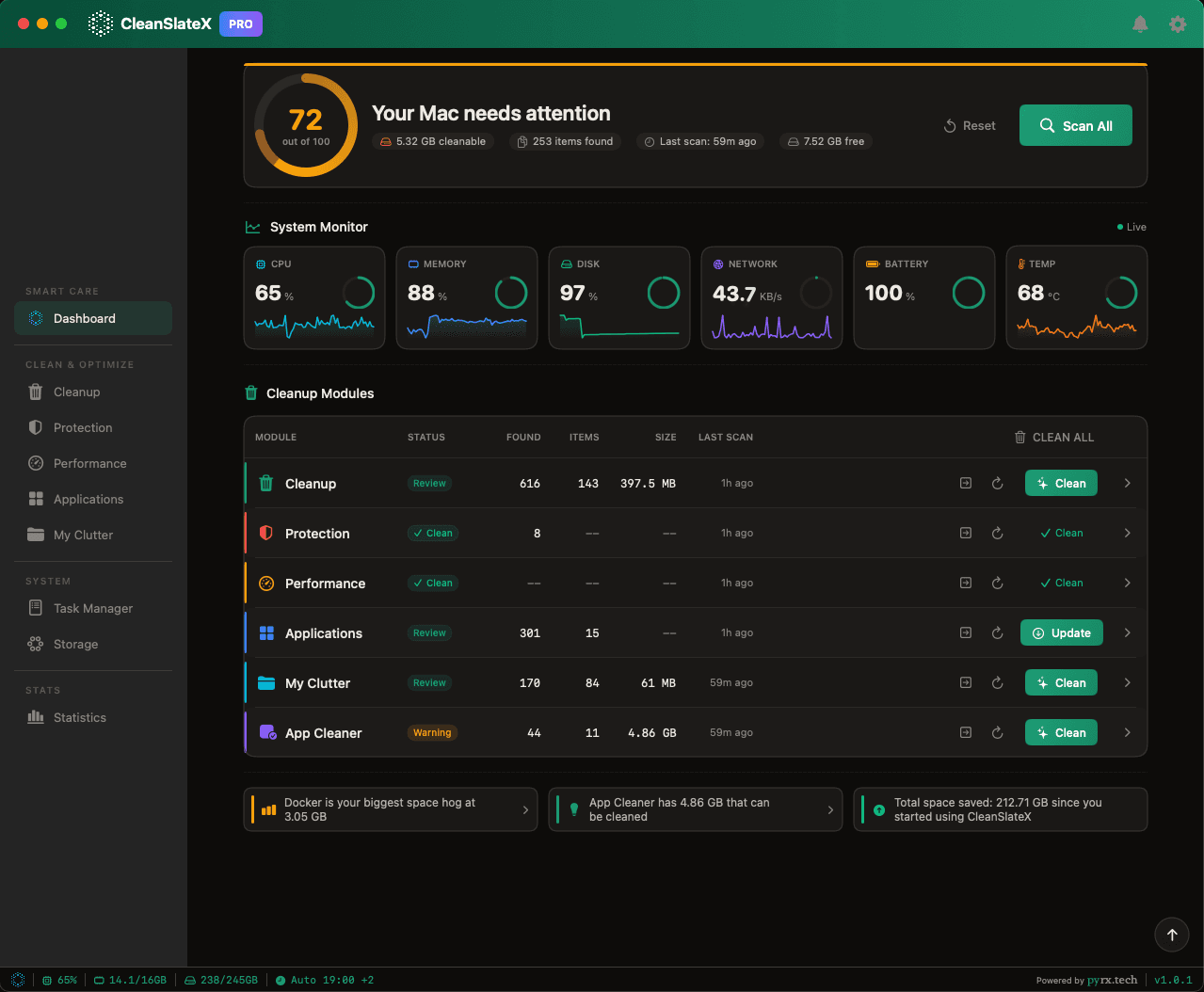
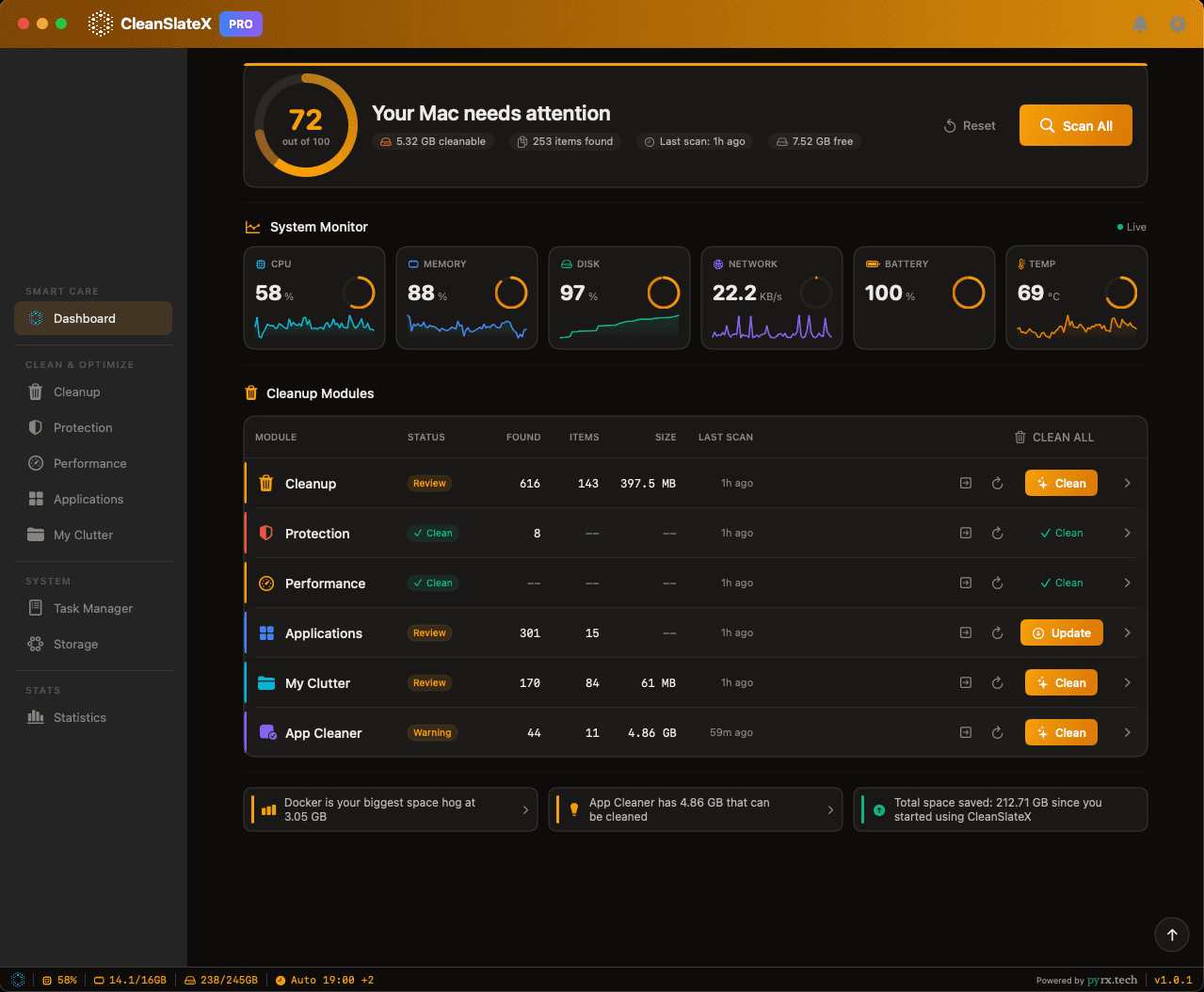
Two modes. Eight accents. Or pick any color you want. One click changes everything.
Dark
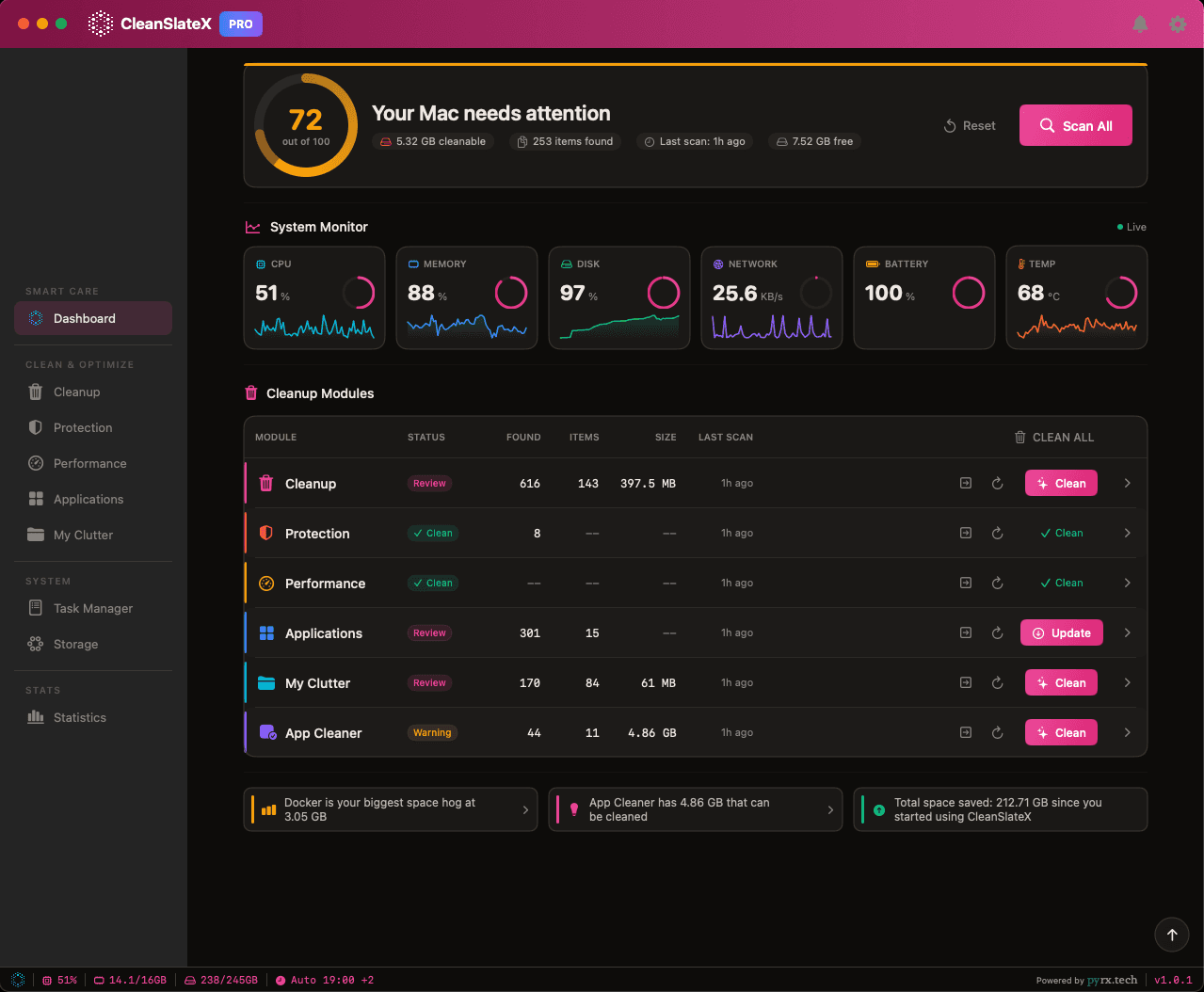
Light
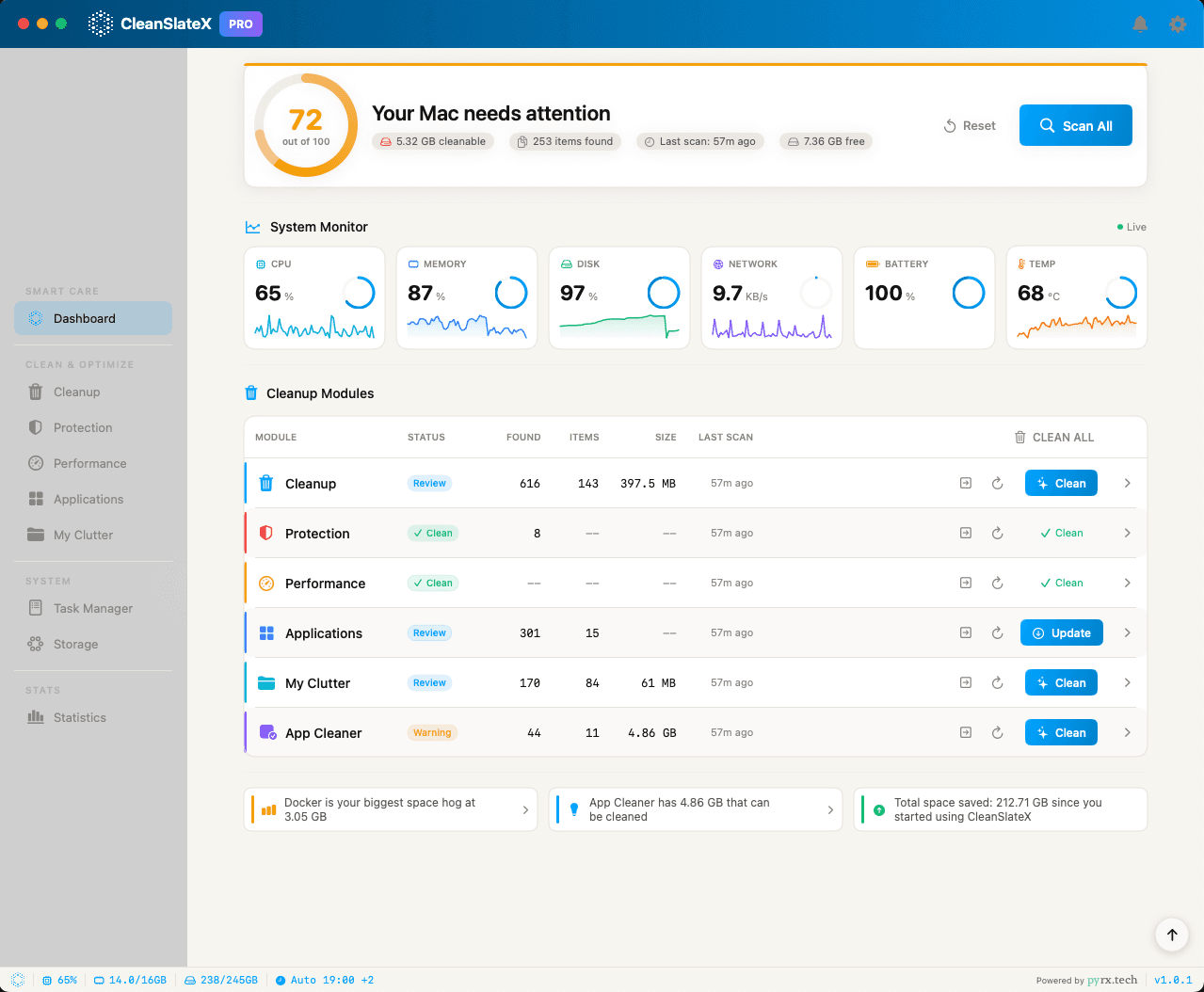
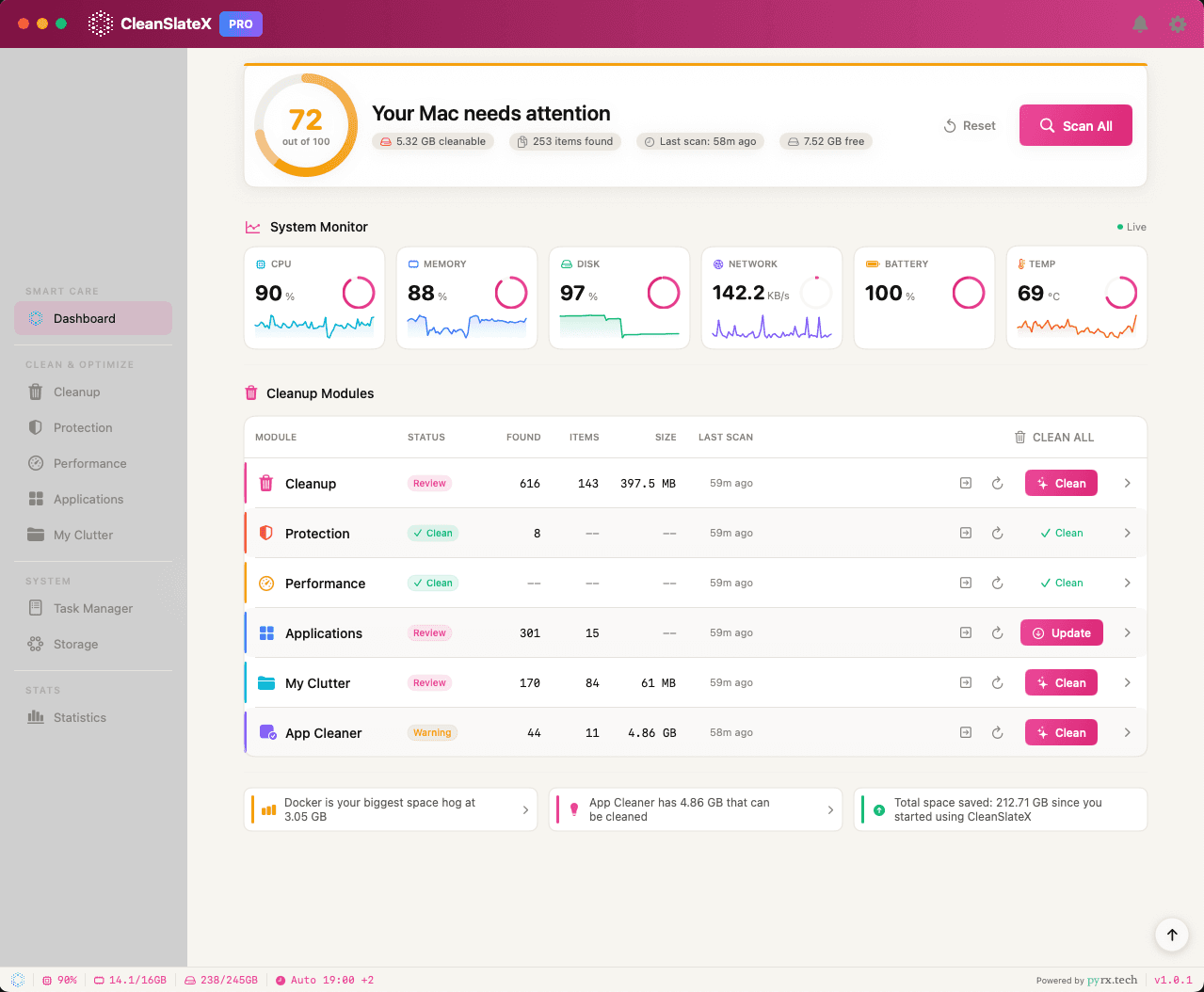
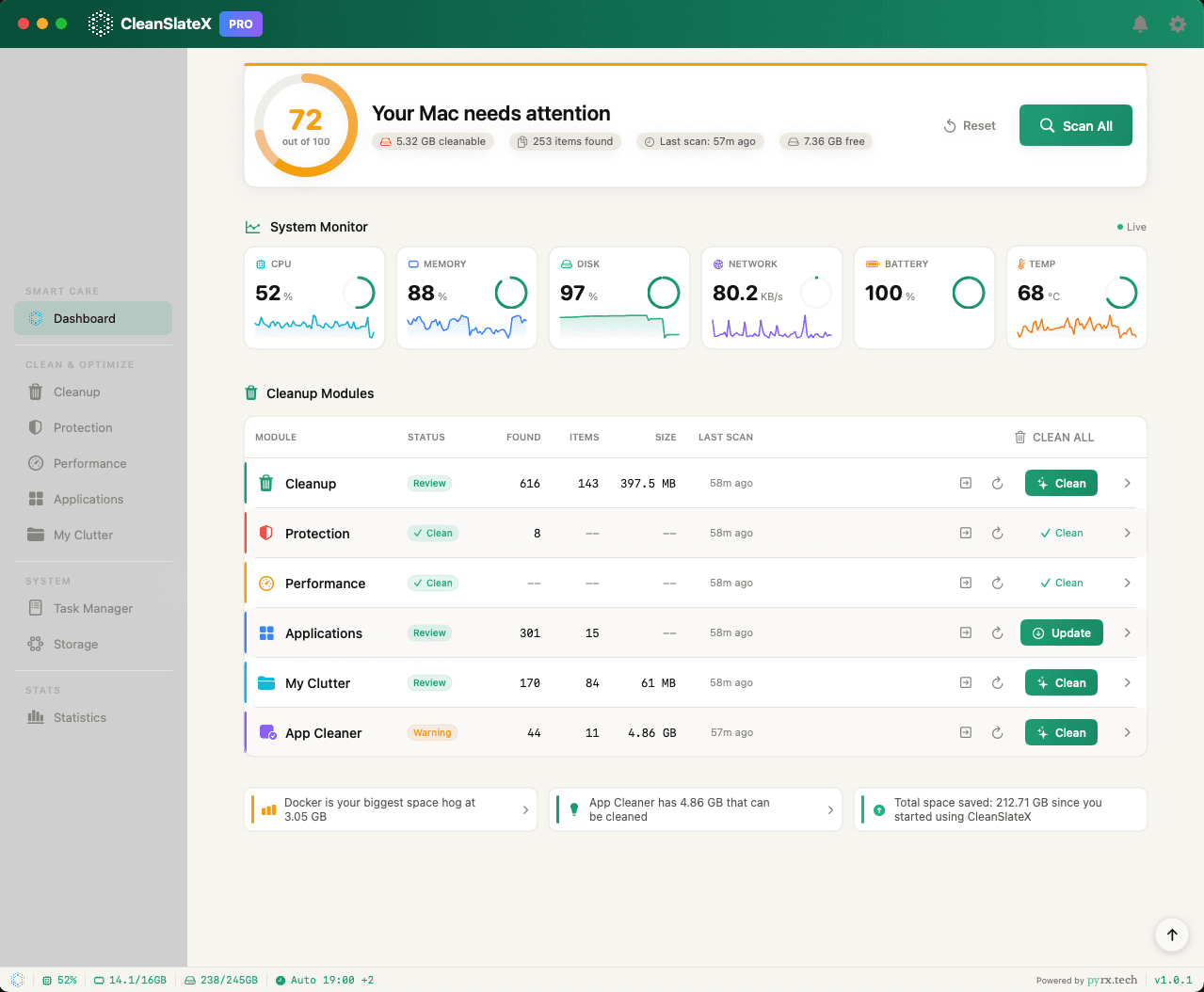
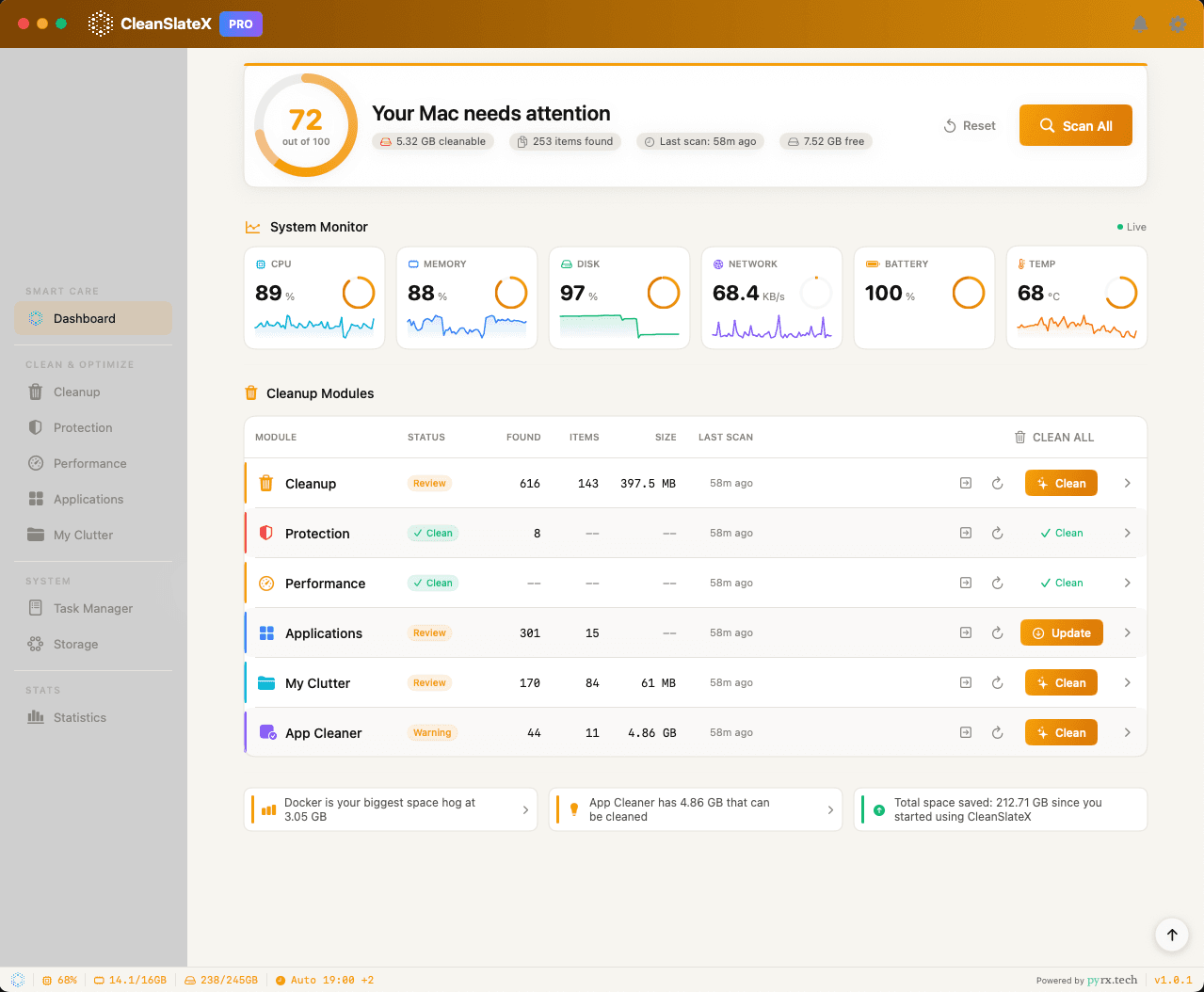
Don't see your favorite? Pick any color you like from the color picker.
Loved by Mac Users
Join thousands of users who have reclaimed their Mac's performance.
“CleanSlateX found 45GB of Xcode derived data I didn't know existed. My MacBook Pro feels brand new!”
MN
Minh Nguyen
Software Developer
“Finally, a Mac cleaner that understands designer workflows. It cleaned up my Sketch and Figma caches perfectly.”
SC
Sarah Chen
UI/UX Designer
“Recovered 80GB of space from old Final Cut Pro render files. The visual disk analyzer is incredibly helpful.”
HT
Hoang Tran
Content Creator
“Simple, fast, and trustworthy. Unlike other cleaners, CleanSlateX actually explains what it's removing.”
LP
Lisa Park
Product Manager
30-day money-back guarantee.
If CleanSlateX doesn't make a real difference for your Mac, email us within 30 days. We'll refund every cent. No forms. No questions.
Ready for a Clean Slate?
Download CleanSlateX today and experience the difference. Your Mac will thank you.
Got a Mac problem we don't solve yet? Tell us — request a feature →
macOS 13.0+Apple Silicon & IntelNo Credit Card30-day refund